上下文压缩:重构对话时丢掉缓存的代价
发布时间:
上一篇文章拆了 /compact 的请求结构——compact 是一个 subagent,system prompt 被砍成一句话,27 个工具只剩 1 个 Read,120K token 全额计费缓存命中 0%。但那篇文章只讲到了 compact 本身,没讲 compact 之后发生了什么。这篇接着拆:压缩完成后,主对话的第一条请求长什么样?对话是怎么无缝继续的?
抓包环境
这次抓的是 compact 之后主 agent 的第一条请求。对话背景是 yiya-mw-agents 项目,先打了 /compact,然后我问了一句「压缩了吗」。下面拆的就是这个请求。
一眼对比:compact subagent vs 压缩后的 main agent
把 compact subagent 的请求和压缩后 main agent 的请求放在一起,差异一目了然:
Compact subagent:                    压缩后 Main agent:
┌─────────────────────────┐         ┌─────────────────────────┐
│ system[0]: billing      │         │ system[0]: billing      │  ← 一样
│ system[1]: 身份声明      │         │ system[1]: 身份声明      │  ← 一样(加了 ephemeral 缓存标记)
│ system[2]: 一句话        │         │ system[2]: 千字长文      │  ← 完全不同!
│                         │         │                         │
│ tools: [Read] ×1        │         │ tools: [28个...]        │  ← 完全不同!
│                         │         │                         │
│ messages:               │         │ messages:               │
│  [全部历史消息]          │         │  [summary 替代历史消息]   │
│                         │         │  [/compact 命令回显]     │
│                         │         │  ["压缩了吗"]            │
└─────────────────────────┘         └─────────────────────────┘
compact subagent 的 system prompt 是一句话:「You are a helpful AI assistant tasked with summarizing conversations.」压缩后的 main agent 把千字长文 system prompt 完整恢复了。28 个工具也都回来了。
这很合理——compact subagent 只做总结,不需要知道怎么用 Edit、Bash、Git。但一旦 compact 完成,主对话要继续,模型需要恢复全部的 context:你是谁,你能用什么工具,你该怎么行为。
请求结构逐层拆
system 三个 block 和缓存策略
"system": [
  {
    "type": "text",
    "text": "x-anthropic-billing-header: cc_version=2.1.126.a4b; cc_entrypoint=cli; cch=8b99a;"
  },
  {
    "type": "text",
    "text": "You are Claude Code, Anthropic's official CLI for Claude.",
    "cache_control": { "type": "ephemeral" }     // ❶
  },
  {
    "type": "text",
    "text": "You are an interactive agent that helps users...",
    "cache_control": {}                           // ❷
  }
]
两个缓存标记值得注意:
❶ 身份声明 block 标记了 “type”: “ephemeral”。ephemeral 缓存存续 5 分钟,这意味着系统预期用户会持续对话,但不会一直复用这个缓存。5 分钟后对话还在,这个 block 过期也无所谓,可以从头编码。
❷ 主 system prompt 标记了 {}(无 type,即持久缓存)。这是最长的固定文本,几千字。用持久缓存意味着只要在同一个 session,这部分可以一直复用。相比 compact subagent 请求里 system prompt 完全没有缓存标记(因为是一次性调用),主 agent 显然在为后续对话的缓存做准备。
tools:28 个全部回来
compact subagent 只有 1 个 Read 工具。压缩后 main agent 的 tools 数组里有 28 个 tool 定义:
"tools": [
  {},  // Agent
  {},  // AskUserQuestion
  {},  // Bash
  {},  // CronCreate
  {},  // CronDelete
  {},  // CronList
  {},  // Edit
  {},  // EnterPlanMode
  {},  // EnterWorktree
  {},  // ExitPlanMode
  {},  // ExitWorktree
  {},  // Monitor
  {},  // NotebookEdit
  {},  // PushNotification
  {},  // Read
  {},  // RemoteTrigger
  {},  // ScheduleWakeup
  {},  // Skill
  {},  // TaskCreate
  {},  // TaskGet
  {},  // TaskList
  {},  // TaskOutput
  {},  // TaskStop
  {},  // TaskUpdate
  {},  // WebFetch
  {},  // WebSearch
  {},  // mcp__claude_ai_Google_Drive__authenticate
  {},  // mcp__claude_ai_Google_Drive__complete_authentication
]
28 个工具全部就位。这点很重要——如果工具没有全部恢复,模型看到了 compact 前 call 了 Bash 读文件,compact 后 Bash 突然不可用了,模型就要懵。所以 main agent 的 tool registry 必须和 compact 前完全一致。
messages:历史被 summary 替代
这是压缩后最核心的变化。compact 之前 messages 里有数百条历史消息。compact 之后,这些被替换成了一段 summary:
{
  "role": "user",
  "content": [
    {
      "type": "text",
      "text": "This session is being continued from a previous conversation that ran out of context. The summary below covers the earlier portion of the conversation. Summary: 1. Primary Request and Intent: ... 2. Key Technical Concepts: ... 3. Files and Code Sections: ... 9. Optional Next Step: ..."
    },
    {
      "type": "text",
      "text": "<local-command-caveat>Caveat: The messages below were generated by the user while running local commands...</local-command-caveat>"
    },
    {
      "type": "text",
      "text": "<command-name>/compact</command-name> <command-message>compact</command-message>"
    },
    {
      "type": "text",
      "text": "Compacted (ctrl+o to see full summary)"
    },
    {
      "type": "text",
      "text": "压缩了吗",
      "cache_control": { "type": "ephemeral" }   // 用户最新消息,标记 ephemeral
    }
  ]
}
这 5 个 content block 拆开看:
Summary 正文:compact subagent 产出的 9 节结构化总结。长度约 4000 字符,覆盖了对话的核心内容——项目背景、技术概念、涉及的文件、修复的 bug、当前状态。4000 字符替代了几万 token 的原始历史。
<local-command-caveat>:系统告诉模型「下面的内容是用户执行本地命令时产生的,除非用户明确提到否则不要响应」。
<command-name>/compact</command-name>:compact 命令本身。
Compacted (ctrl+o to see full summary):终端输出回显。
「压缩了吗」:用户的新消息,cache_control: { type: “ephemeral” } 标记——这条是新消息,缓存它可以让用户下一条消息的请求复用这块前缀。
其他请求参数
{
  "model": "deepseek-v4-pro",
  "max_tokens": 32000,
  "thinking": { "type": "adaptive", "display": "summarized" },
  "output_config": { "effort": "high" },
  "context_management": {
    "edits": [
      { "type": "clear_thinking_20251015", "keep": "all" }
    ]
  }
}
几个值得注意的点:
thinking.display: “summarized” —— thinking 内容会被摘要化而不是完整展示。compact 后的对话 threshold 已经拉高了,模型会更倾向用 shorter thinking。
context_management.edits: clear_thinking_20251015 —— 这个参数清除了之前轮次的 thinking 块。上一篇文章提到 compact 请求也有这个参数。说明 compact 后 model 能看到的历史 thinking 被清理了,只保留了 summary 中的关键信息。
output_config.effort: “high” —— 和 compact subagent 一样,主 agent 也用了 high effort。
模型的回复
output.json 里模型返回了:
{
  "role": "assistant",
  "content": [
    {
      "type": "thinking",
      "thinking": "The user is noting that the conversation was compacted...",
      "signature": "c833db8d-a491-4138-b7d5-cba0fd0626b6"
    },
    {
      "type": "text",
      "text": "是的,上一轮对话上下文太长,系统自动做了压缩(compact)。我已经拿到了完整的摘要,包括:\n- 你对 CTD M2.4 打标签和 L1/L2 抽取模块的熟悉过程\n- 本地和 K8s 两套环境都测试通过\n- MinerU 并发竞争的修复(commit `35a0fedb`)已在 worktree 中\n- 正确的代码路径在 `/Users/hanwenbo/.config/superpowers/worktrees/yiya-mw-agents/feature-m24-phase4-extract-plugin`\n\n可以继续,有什么需要做的?"
    }
  ],
  "usage": {
    "input_tokens": 35928,
    "cache_creation_input_tokens": 0,
    "cache_read_input_tokens": 0,
    "output_tokens": 157
  }
}
模型确认了压缩,并且从 summary 中提取了关键信息:CTD M2.4 模块、K8s 测试结果、MinerU 修复、代码路径。回答自然流畅,完全没有「上下文丢了」的感觉。对话无缝继续。
缓存的真相比你想的更残酷
看一眼 usage:
compact subagent:      input=120,223  cache_read=0       (一次性的全价)
压缩后 main agent:     input=35,928   cache_read=0       (从零开始积累)
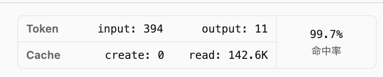
compact 前的正常对话:   input ~几千     cache_read=99.7%   (基本不花钱)
压缩后第一条请求:
- cache_read 也是 0。虽然 system prompt 上有 cache_control: {} 标记,但这是请求时告诉 API「请缓存这个」,而不是「这次从缓存读」。缓存是本次请求后才建立的。
- cache_creation 也是 0。这说明 API 可能认为总共才 36K token 不值得建缓存,或者因为其他条件没触发。
- 好消息是:input 只有 36K token。compact 之前这个对话可能已经吃到了 200K+ token 的 context,compact 把历史压缩到了 ~4K 字符的 summary,一下子就瘦身了。
后续的请求如果能命中系统 prompt 的缓存,每轮 input 就会大幅下降。compact 的本质是用一次昂贵的全量请求(compact subagent 120K)换取后续每次请求的上下文瘦身(从 200K+ 降到 36K 再降到几 K)。
对整体缓存命中率的影响
前面聊的都是单次请求的缓存命中,但如果你在看账单或者 cc-viewer 的统计面板,整体缓存命中率会被这两次 0-hit 请求明显拉低。
缓存命中率不是按请求数量平均的,而是按 token 加权。也就是说,一个 120K token 的 0-hit 请求和一个 2K token 的 99% hit 请求对平均值的影响差了 60 倍。
假设一次典型的 compact 前后对话情况:
compact 前(正常对话 20 轮):
  每轮 input ≈ 8,000 tokens(历史累积)
  每轮 cache_read ≈ 7,900 tokens(99% 命中)
  正常对话总 input = 160,000 tokens
  正常对话总 cache_read = 158,000 tokens
  缓存命中率 = 158,000 / 160,000 = 98.75%

然后触发 compact:
  第 1 次(compact subagent):input = 120,223, cache_read = 0
  第 2 次(压缩后主 agent):input = 35,928, cache_read = 0

compact 后的整体统计:
  总 input = 160,000 + 120,223 + 35,928 = 316,151 tokens
  总 cache_read = 158,000 + 0 + 0 = 158,000 tokens
  整体缓存命中率 = 158,000 / 316,151 = 49.97%
一次 compact 直接把整个 session 的缓存命中率从 98.75% 砸到了 49.97%。如果这 20 轮对话后面再有 20 轮正常对话(逐渐恢复缓存命中),整体命中率可能勉强拉回 60%~70%。但要想回到 compact 前的 99%,需要非常长的后续对话来稀释那两次 0-hit 的 15 万 token。
更具体地说:compact 引入的两次 0-hit 合计 156,151 token。要恢复到 95% 整体命中率,后续需要大约 300 万 token 的正常对话(假设每轮 8K input、99% 命中率递增)来稀释。大部分对话根本走不到这么长,可能又触发一次 compact,形成恶性循环。
如果你用 cc-viewer 看 session 级别的缓存命中率统计,一旦看到某次对话命中率断崖下跌,那就是 compact 触发了。
终端里用户看到什么

compact 完成后终端里显示 Compacted (ctrl+o to see full summary)。用户不需要理解 subagent、缓存命中率、KV cache 这些概念。TA 只需要知道上下文太长,系统自动(或我手动)压缩了,然后继续问下一个问题。
ctrl+o 展开可以看到完整的 9 节总结,还能看到原始 transcript 的文件路径:
/Users/hanwenbo/.claude/projects/-Users-hanwenbo-PycharmProjects/c07046ac-...jsonl
总结:紧凑的代价账单
| compact subagent | 压缩后 main agent | 正常对话 | |
|---|---|---|---|
| system prompt | 一句话 | 千字长文(带 cache_control) | 千字长文(带 cache_control) |
| tools | 1 个 | 28 个 | 28 个 |
| 历史消息 | 全部原始消息 | summary 替代(~4K 字符) | 增量追加 |
| input tokens | 120K | 36K | 几 K |
| cache_read | 0 | 0 | 99.7% |
| 目的 | 产出 summary | 恢复对话 | 干活 |
| 计费 | 全价,一次性 | 全价,后续逐渐恢复缓存命中 | 基本只付新消息 |
所以 compact 不是一个单次行为,而是一笔交易:(compact subagent 全额 120K)+(压缩后首轮 36K 重建缓存)换后续对话的持续瘦身。 如果上下文确实太长导致每次请求都超预算截断,这笔交易是赚的。如果只是觉得「聊天框有点长想清理一下」——那你就是花了一两百万 token 的钱,买了一个本来不需要的服务。
和上一篇的结论一样:上下文没炸就别碰 compact。